Installation Wizard For Network Access Control Tool
Redesigning how IT teams configure, distribute and validate network-access policies across tens of thousands of endpoints.
Context
NAC: used by managers to control network access of an organization.
Thousands of employees access the network everyday through their authorized organization account.
IT admins inside an organization, managed service providers use NAC to control who can access the network, using which endpoint device, and in what way.
Pains & Goals of a NAC system
So many users & devices
Efficient
Complex configurations
Easy to use
High stake
Stable & Secure
The Challenge
The business is growing, but a single NAC doesn't work for large enterprise customers.
We serve clients of different sizes. Deploying a single NAC or multiple NACs in a group are enough to serve small to mid size companies.
Small enterprises
1 x 50,000 endpoints
1 x NAC
Mid enterprises
3 x 50,000 endpoints
3 x NAC
Large enterprises
N x 50,000 endpoints
N x NAC
1 NAC-M
What about large-size enterprises?
→ We need to develop a unified deployment method with a centralized management node.
All operations will be performed on a single appliance, NAC-M
NAC-M oversees all policies and necessary customizations.
Management On NAC-M For A Large-Size Enterprise
Create, assign and distribute.
Step 1: Create & Assign
Bundle all configs and policies into packages, assign them to different NACs
Step 2: Distribute
Install packages to NACs in bulk.
Step 1: Create & Assign
Bundle all configs and policies into packages, assign them to different NACs
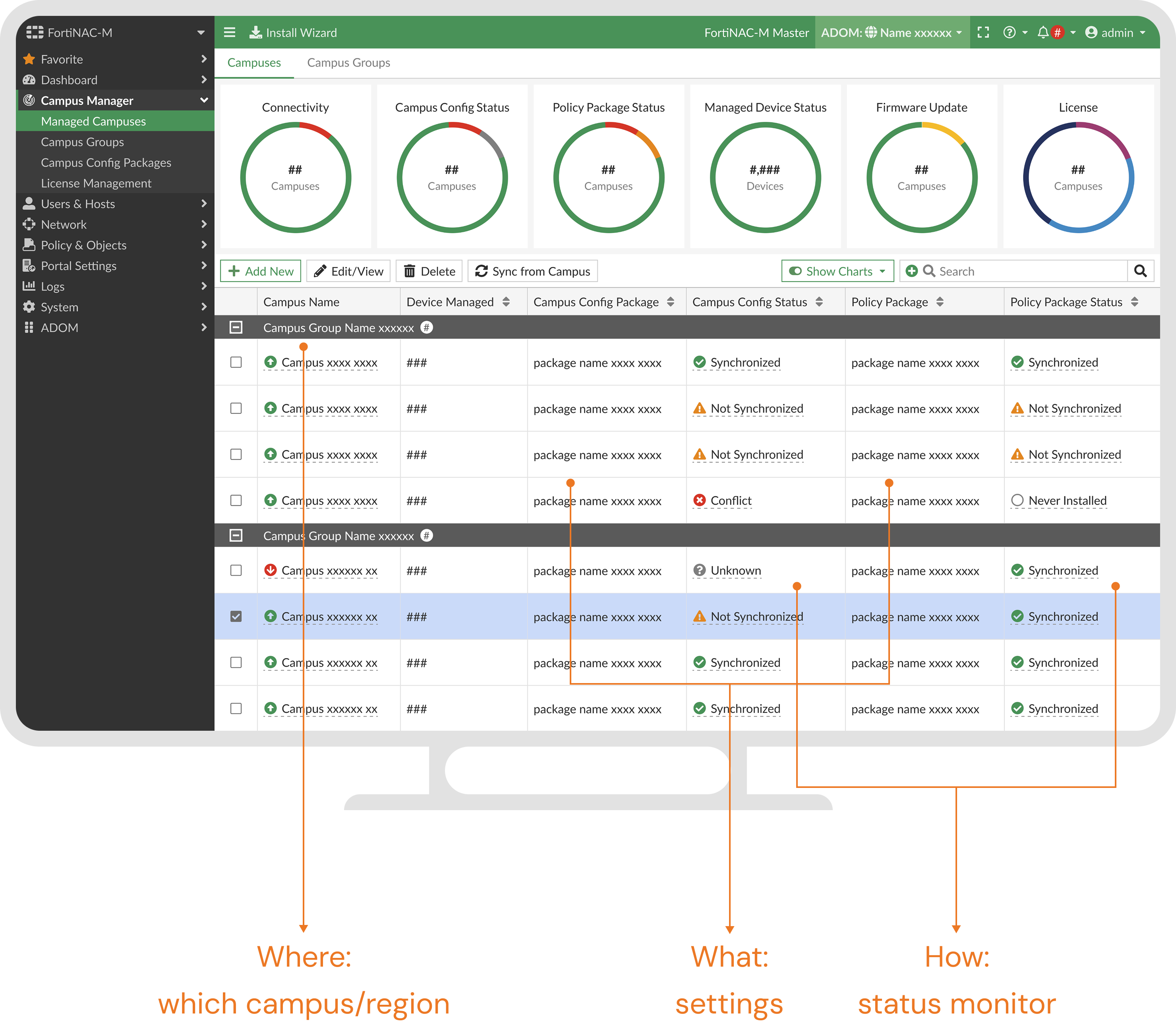
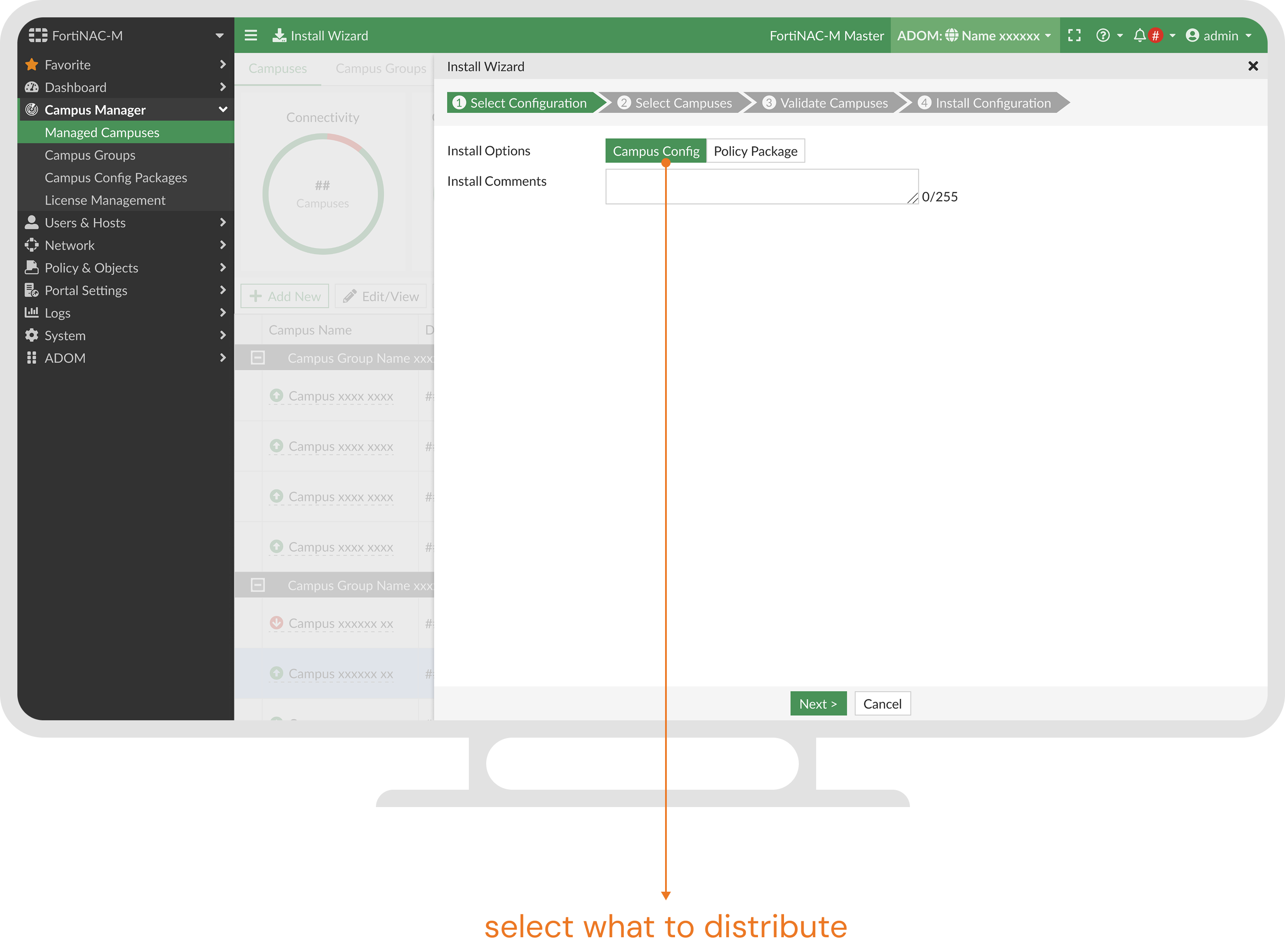
Step 2: Distribute
Install packages to NACs in bulk.
before installation
what/where/how
- easy-to-understand instructions
during installation
waiting
- transparency of status
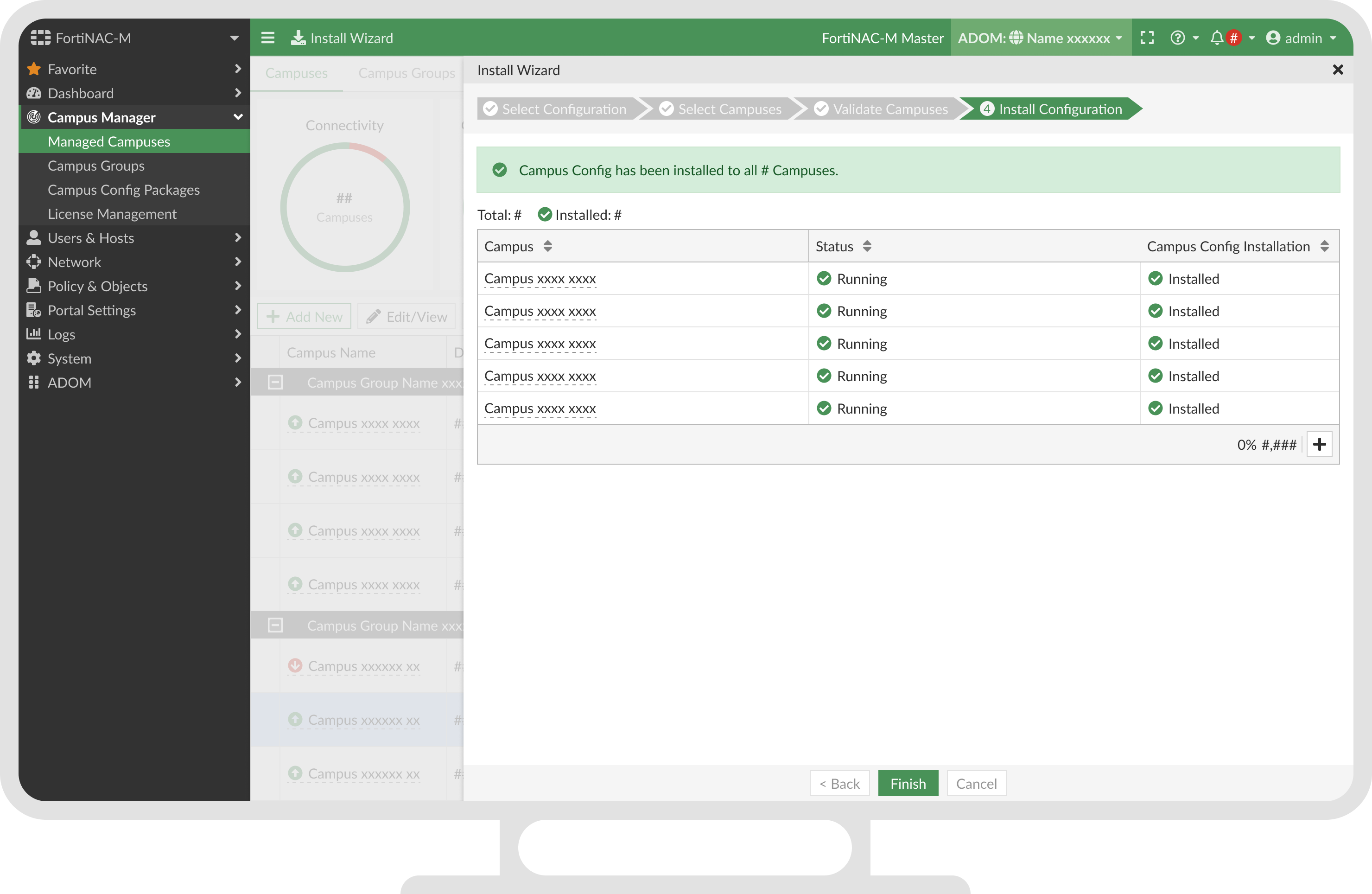
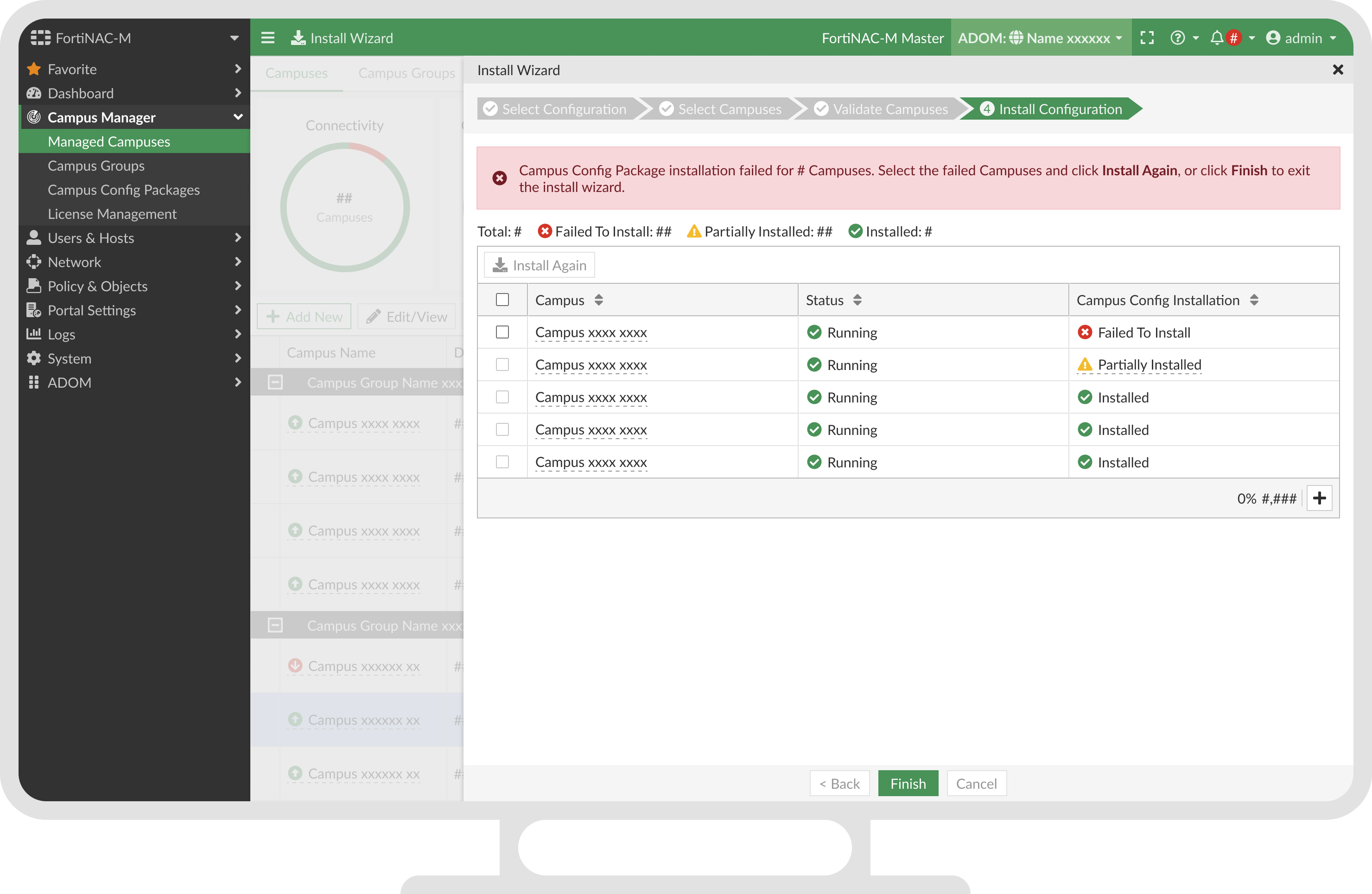
after installation
report and troubleshooting
- clarity with feedback
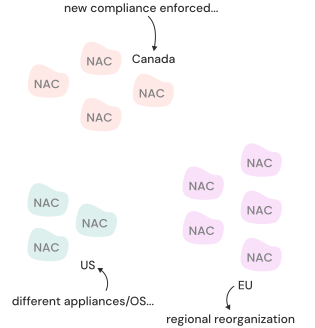
Different areas may have varied schedule and management requirements.
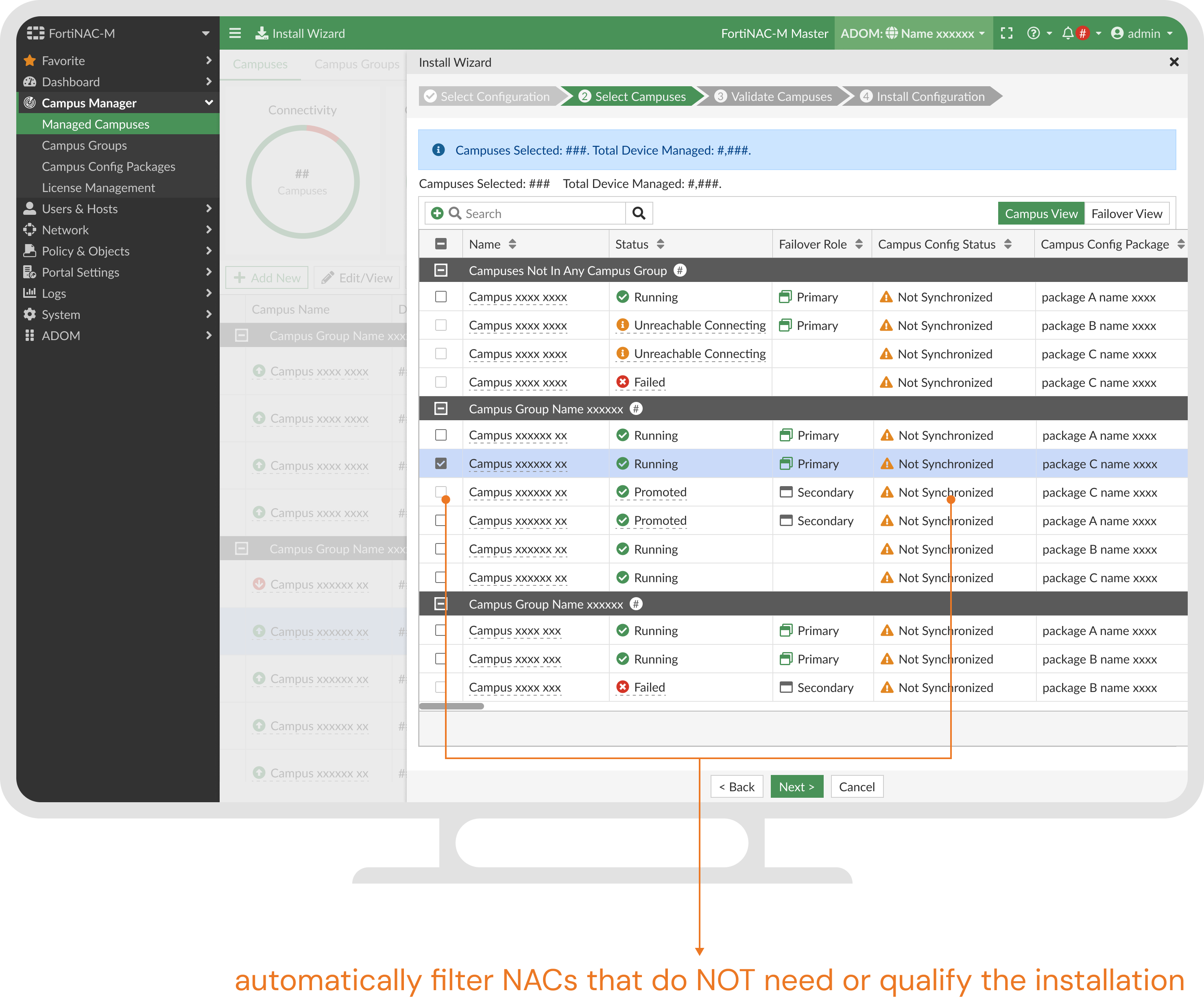
Things could go wrong quickly — configurations are complex, a new package impacts the entire platform, and installation is time-consuming. But some errors could be located beforehand.
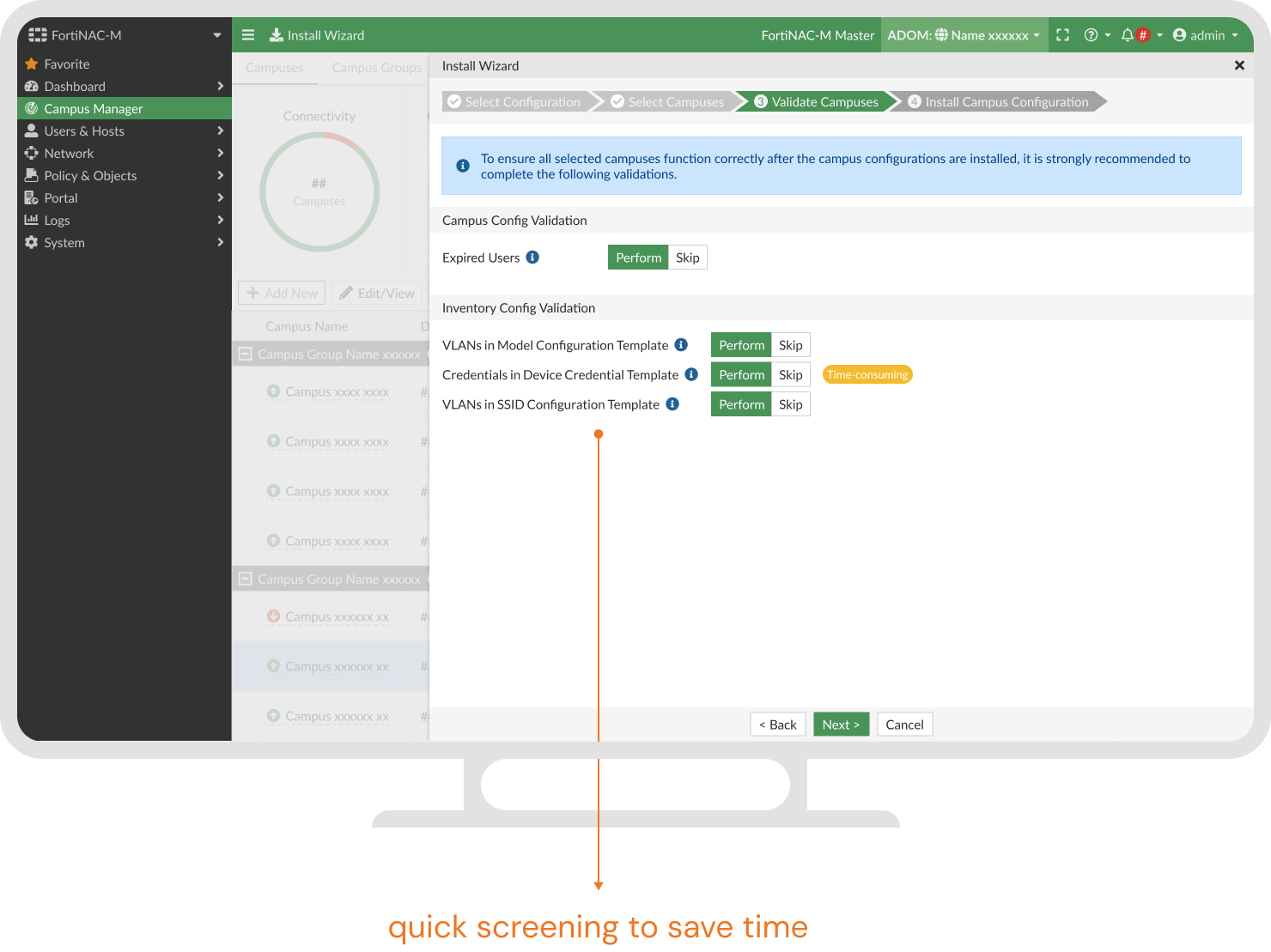
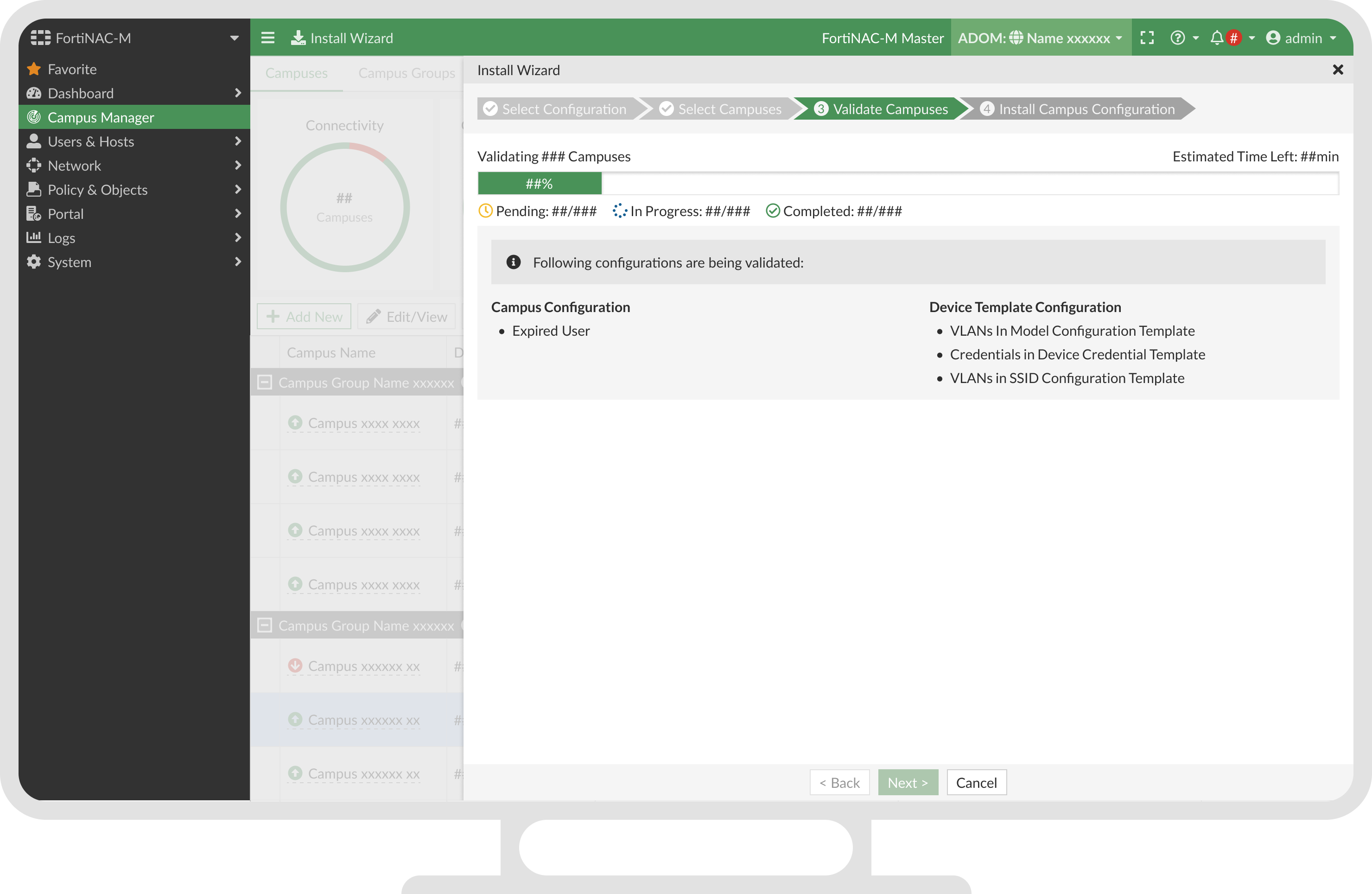
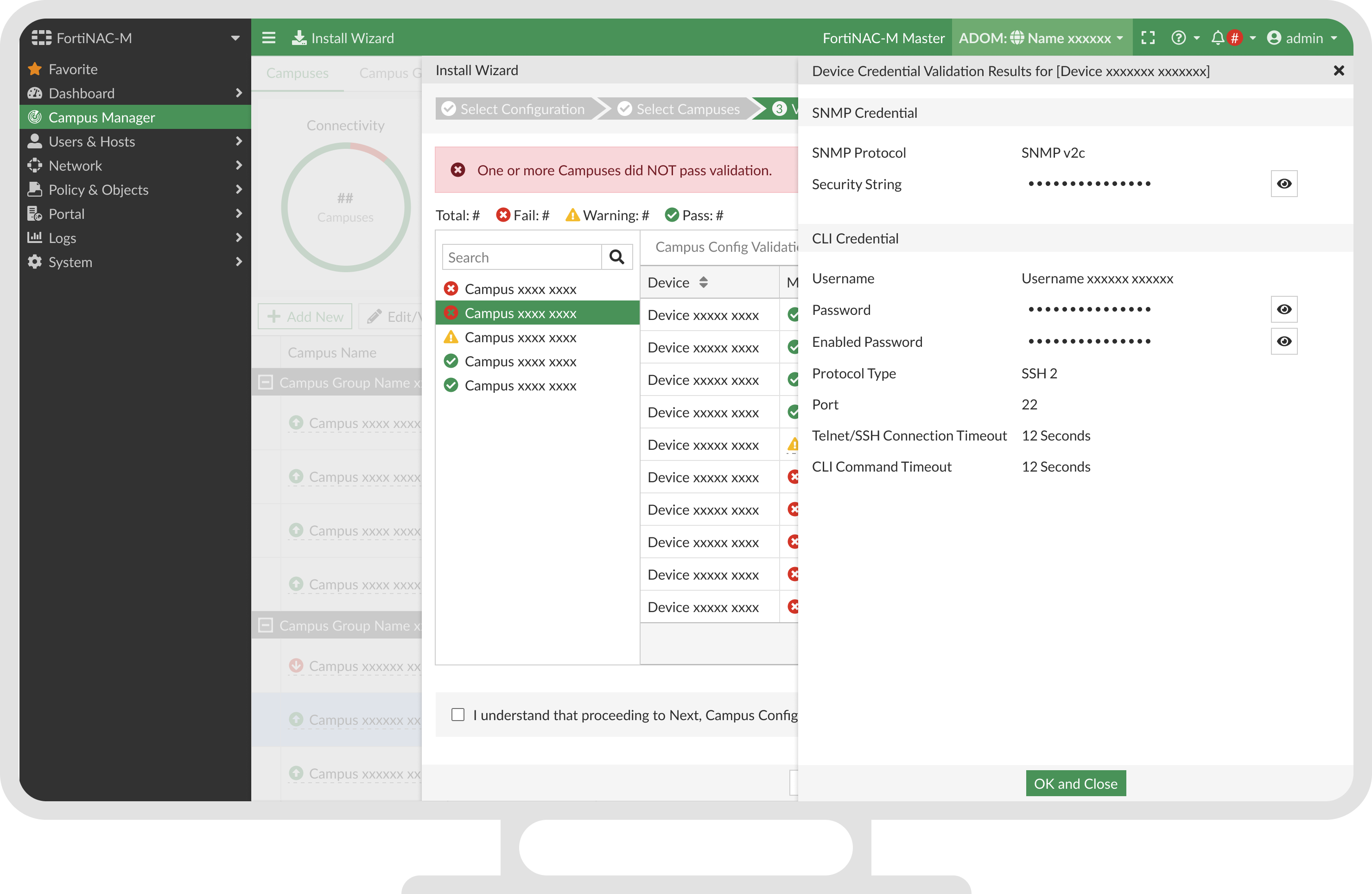
Help users take actions based on validation results.
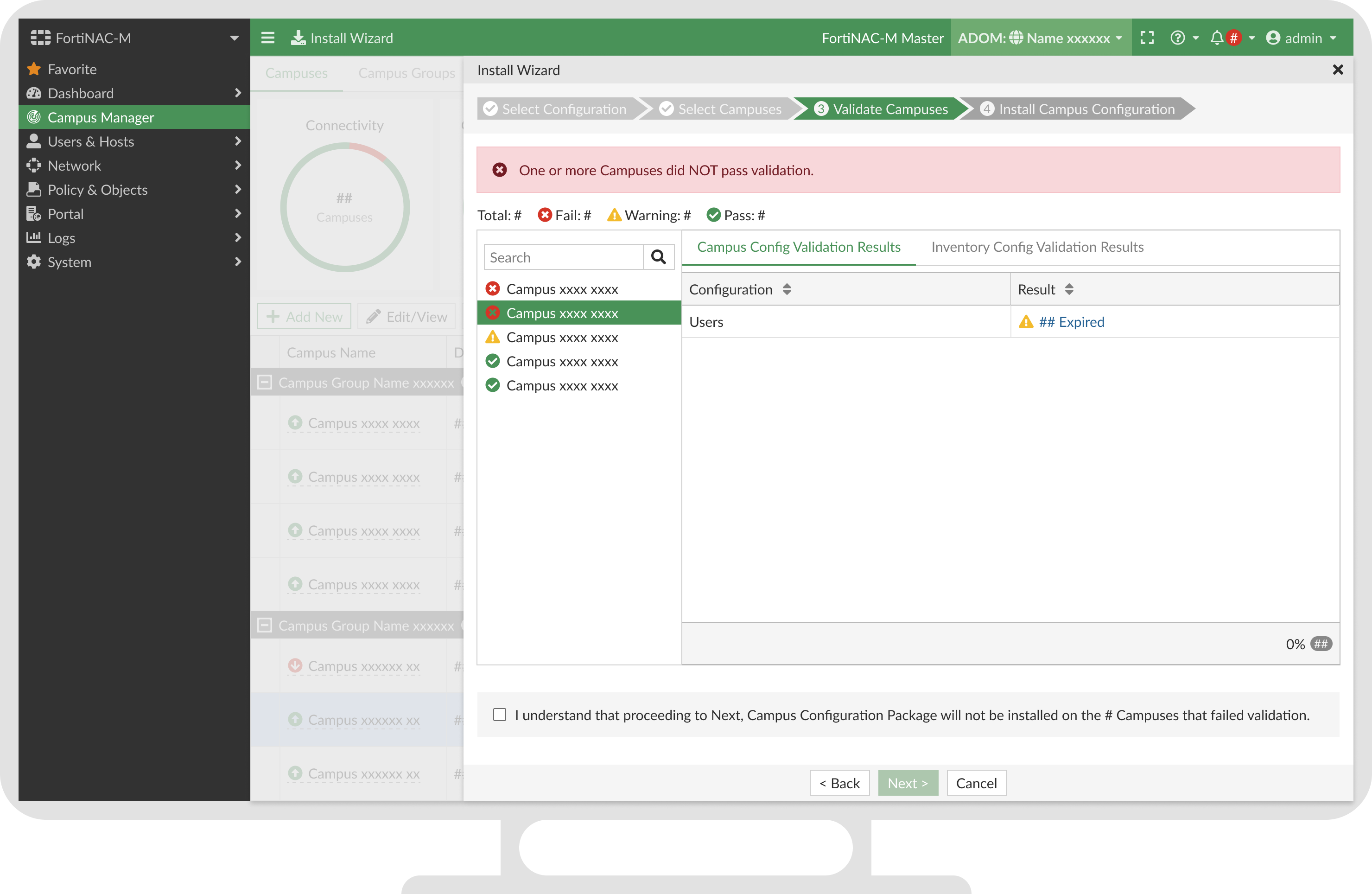
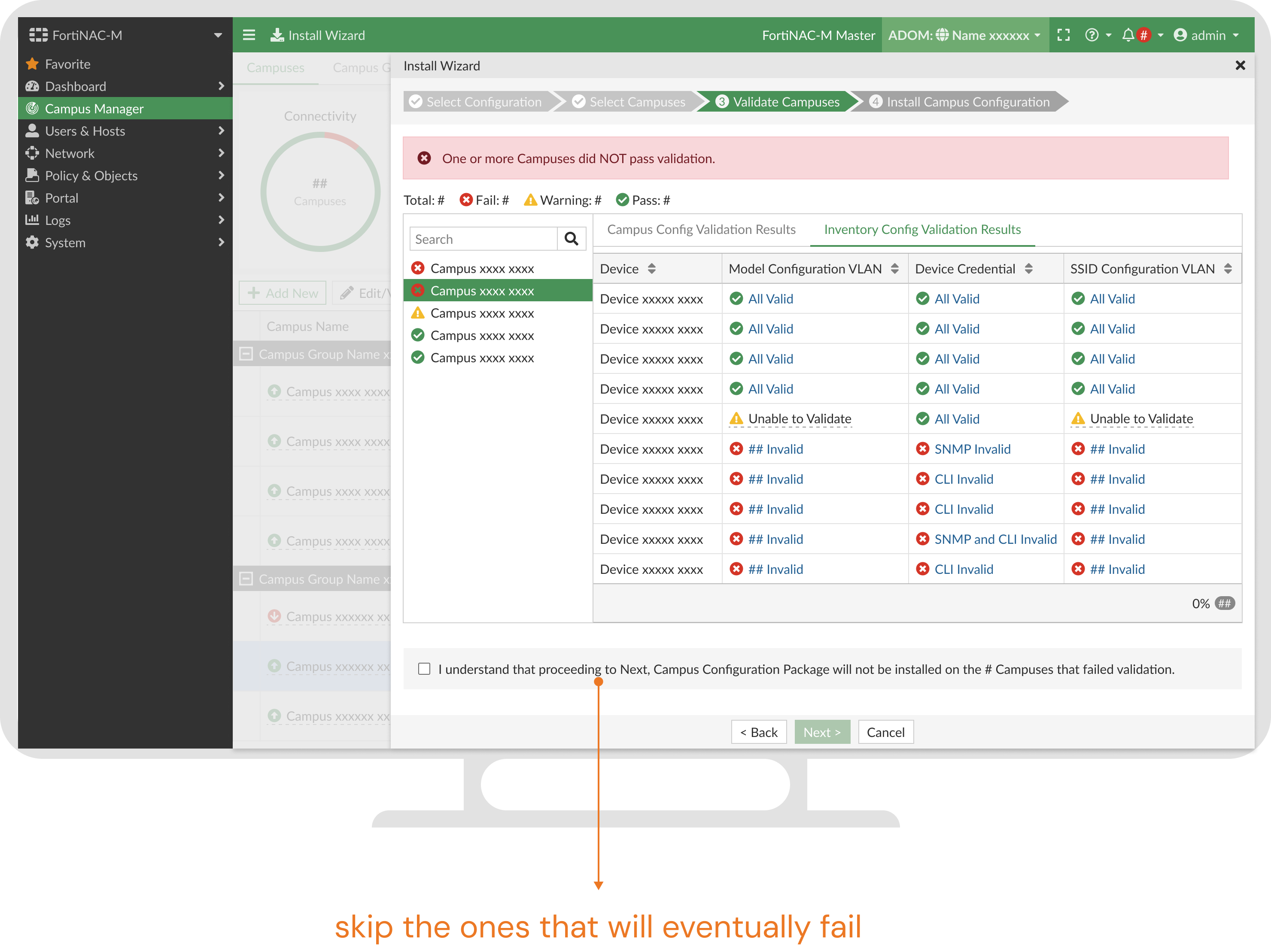
Drill down for details.