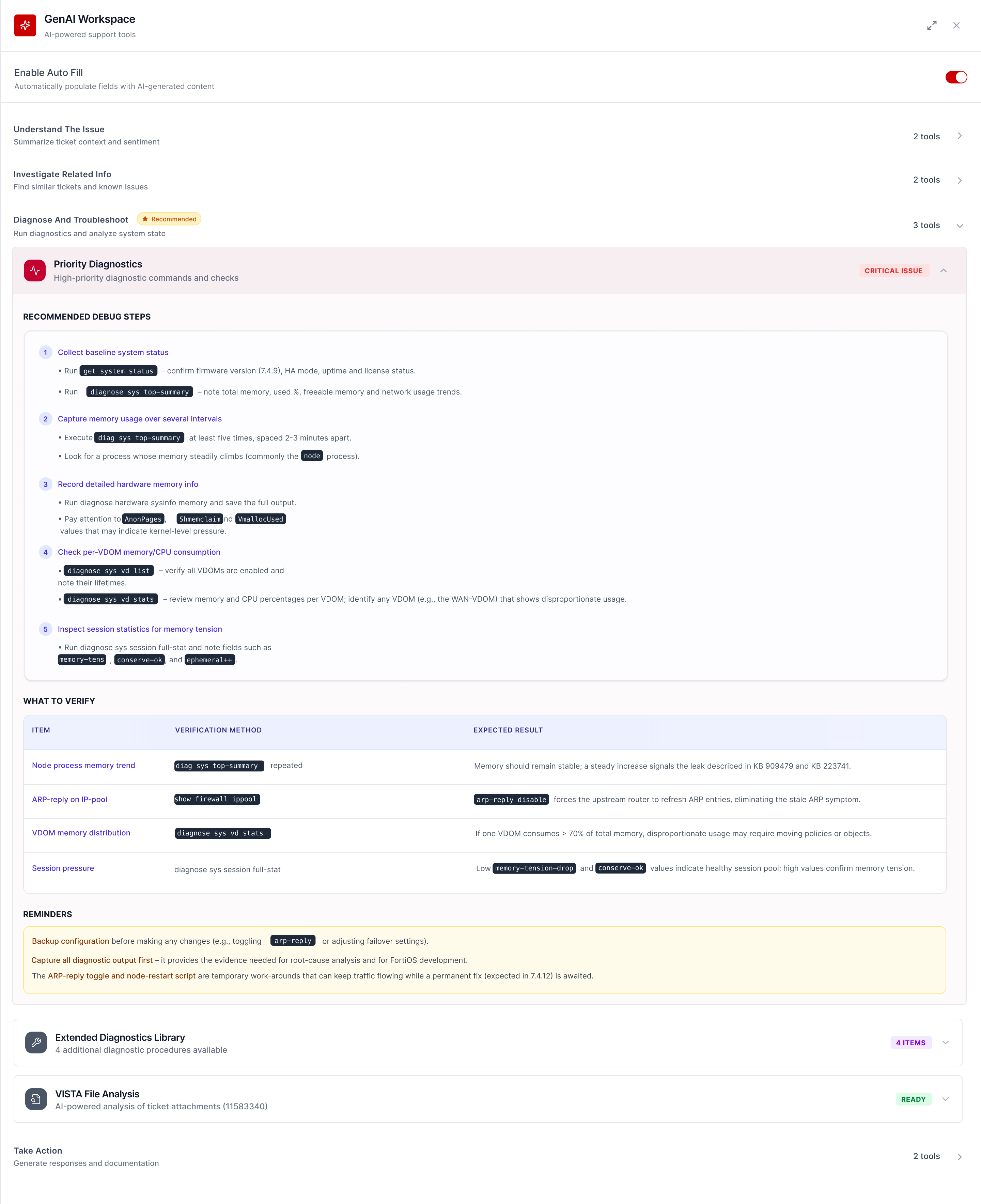
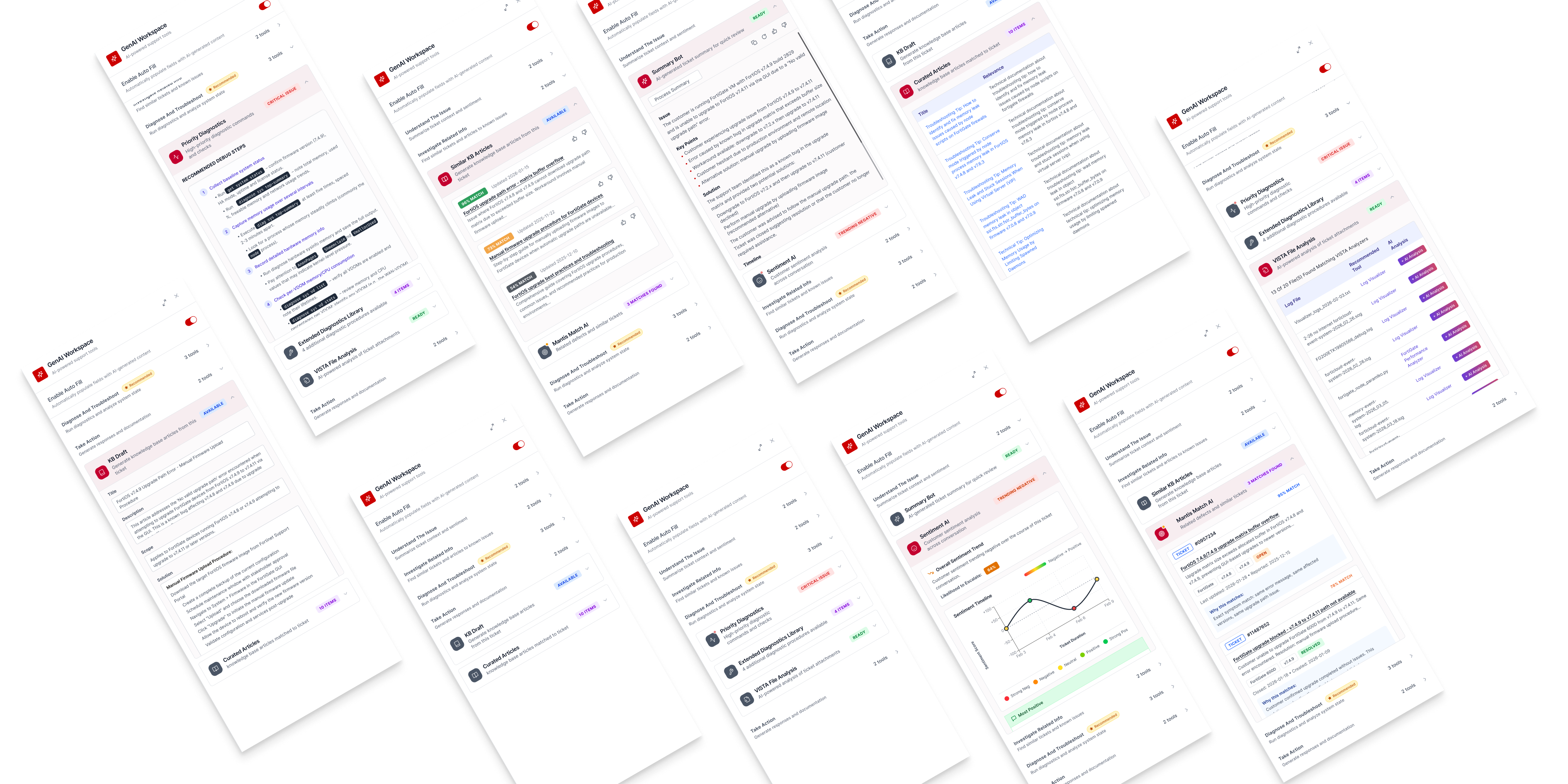
AI Workspace For Service Ticket Management
A unified, AI-powered sidebar that brings every tool a Fortinet support engineer needs into one place — without interrupting their work.
The Old Story
Support engineers jump between scattered tools just to work on one case.
Every time a customer encounters a problem with Fortinet's product, they file a service ticket, which will be taken care of by support engineers.
There are hundreds of thousands of tickets managed by support engineers on FortiCare.
FortiCare is lengthy and outdated, making it difficult to read and manipulate. Therefore, support engineers often go to external tools for ticket diagnose and resolution.
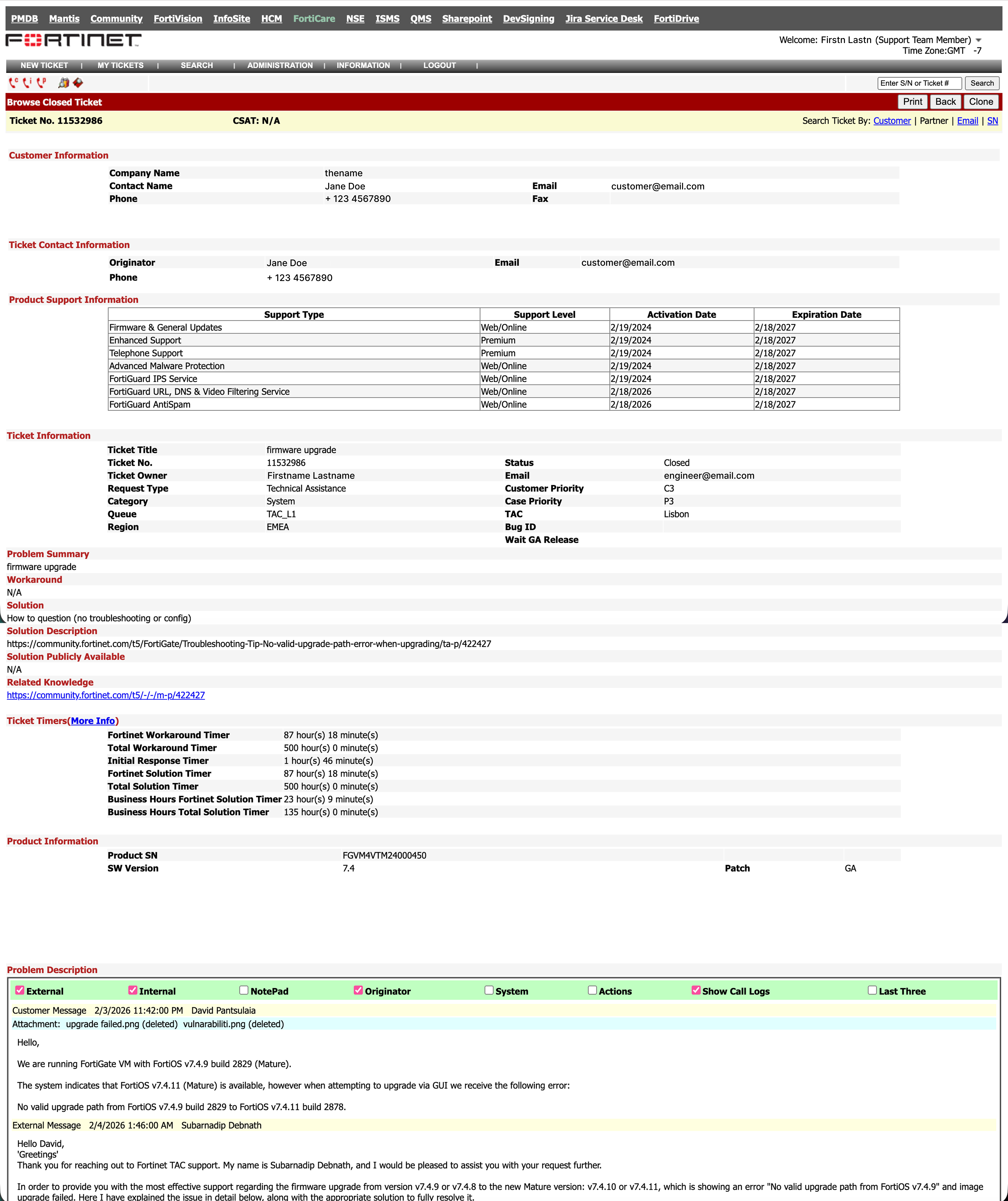
Tools spreading across multiple locations is always painful.
- Constant context switching out of the ticket.
- High cognitive load.
- Low visibility → low adoption of AI capabilities.
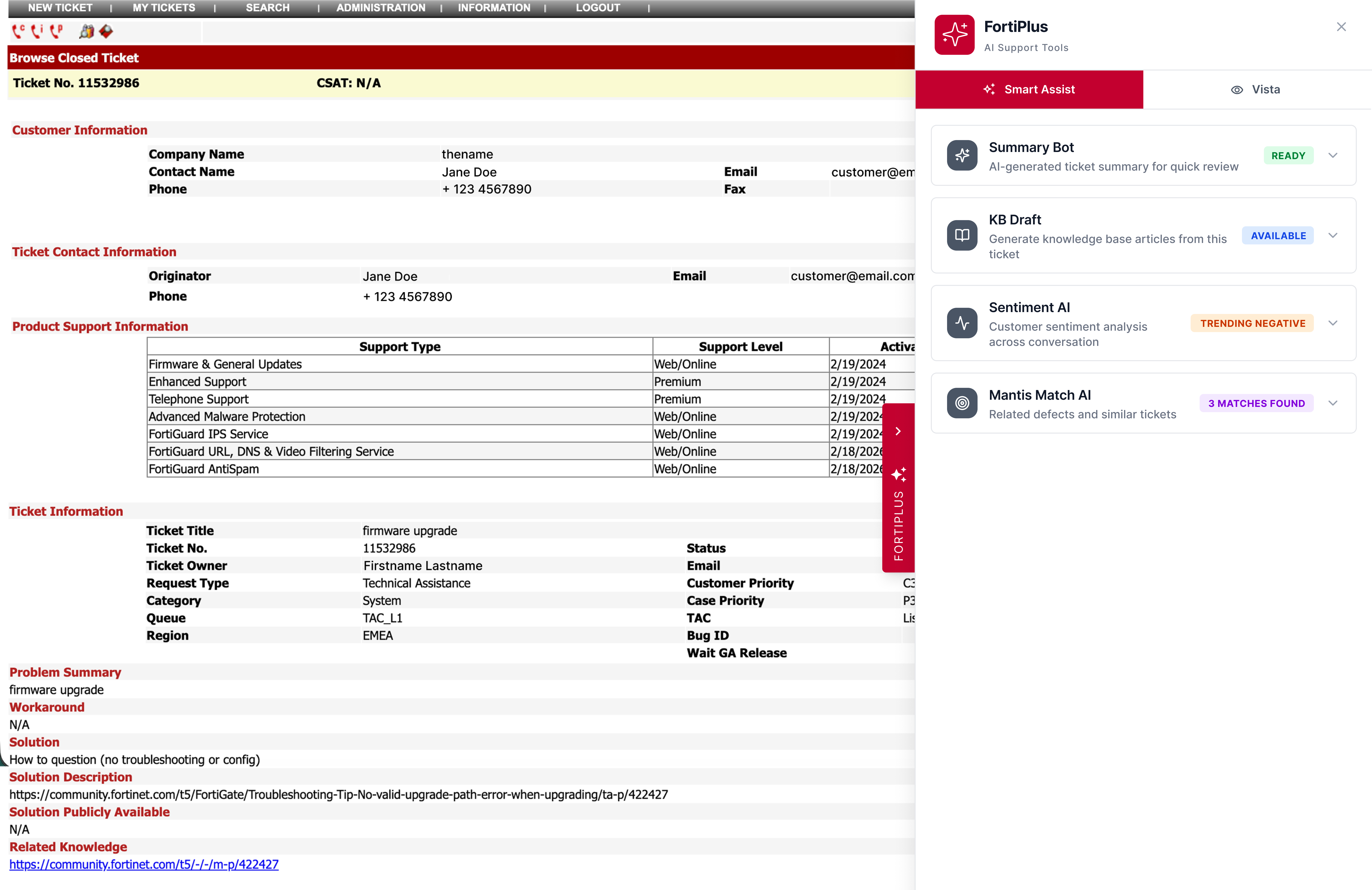
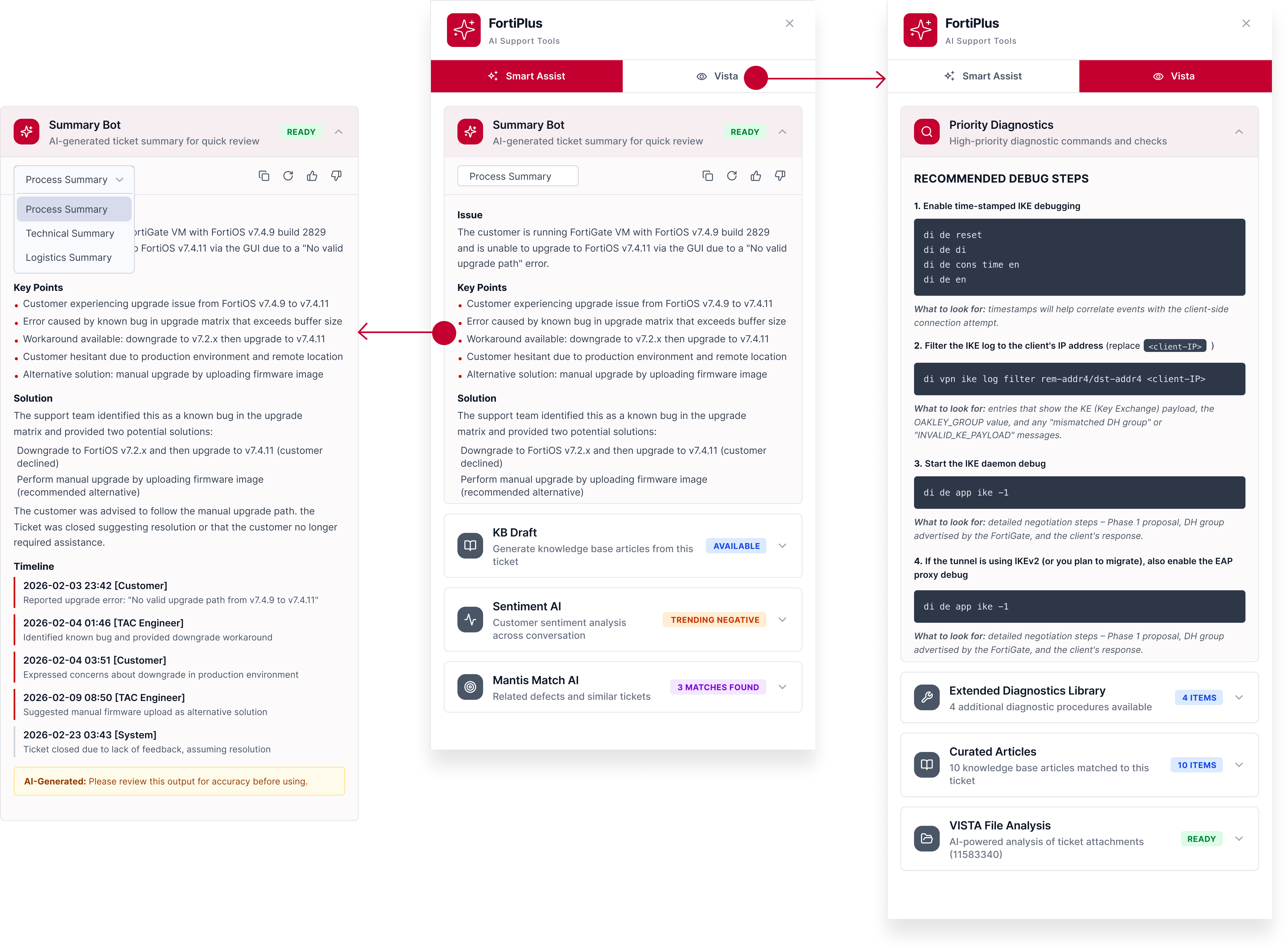
Smart Assist
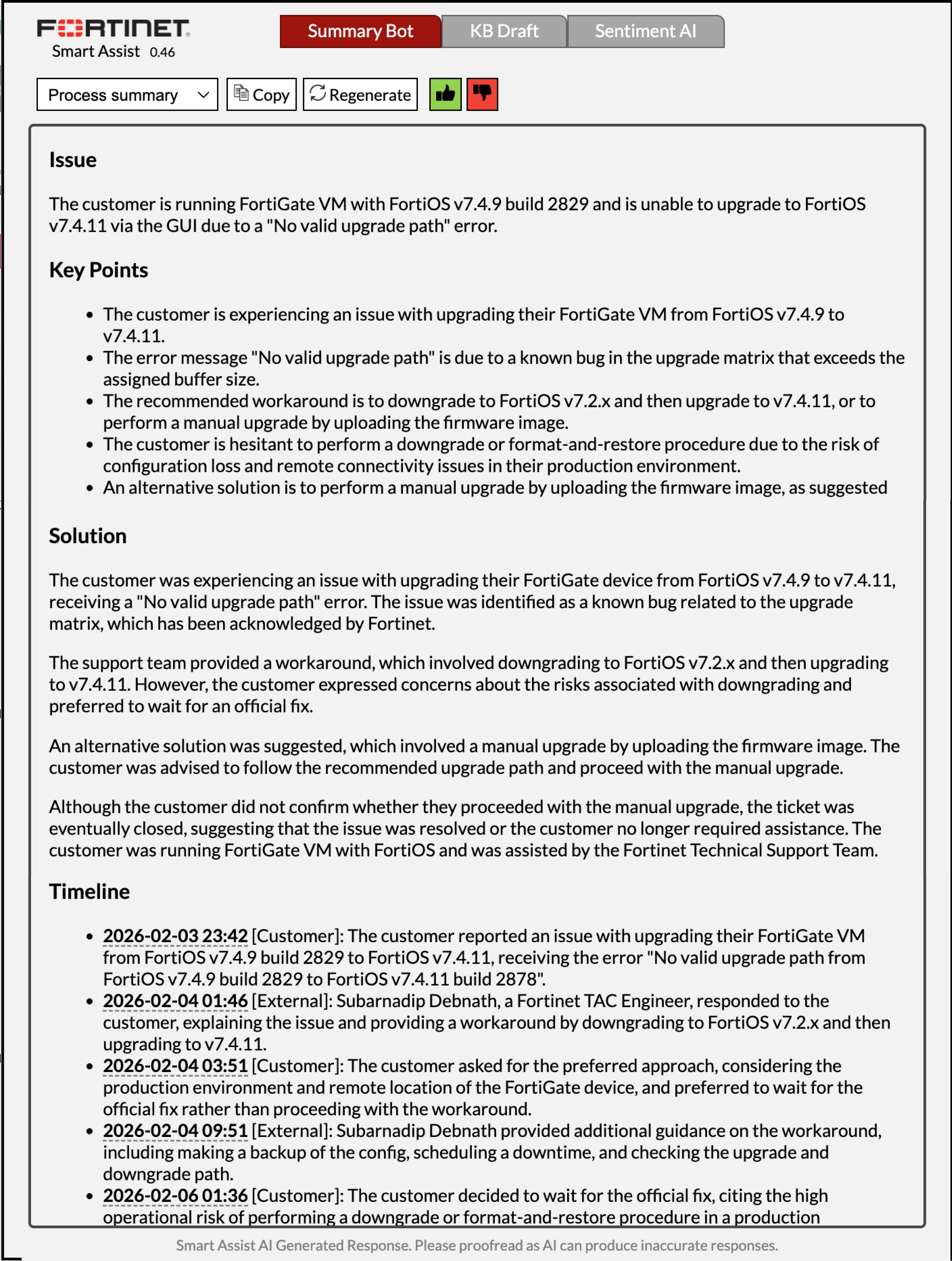
Vista
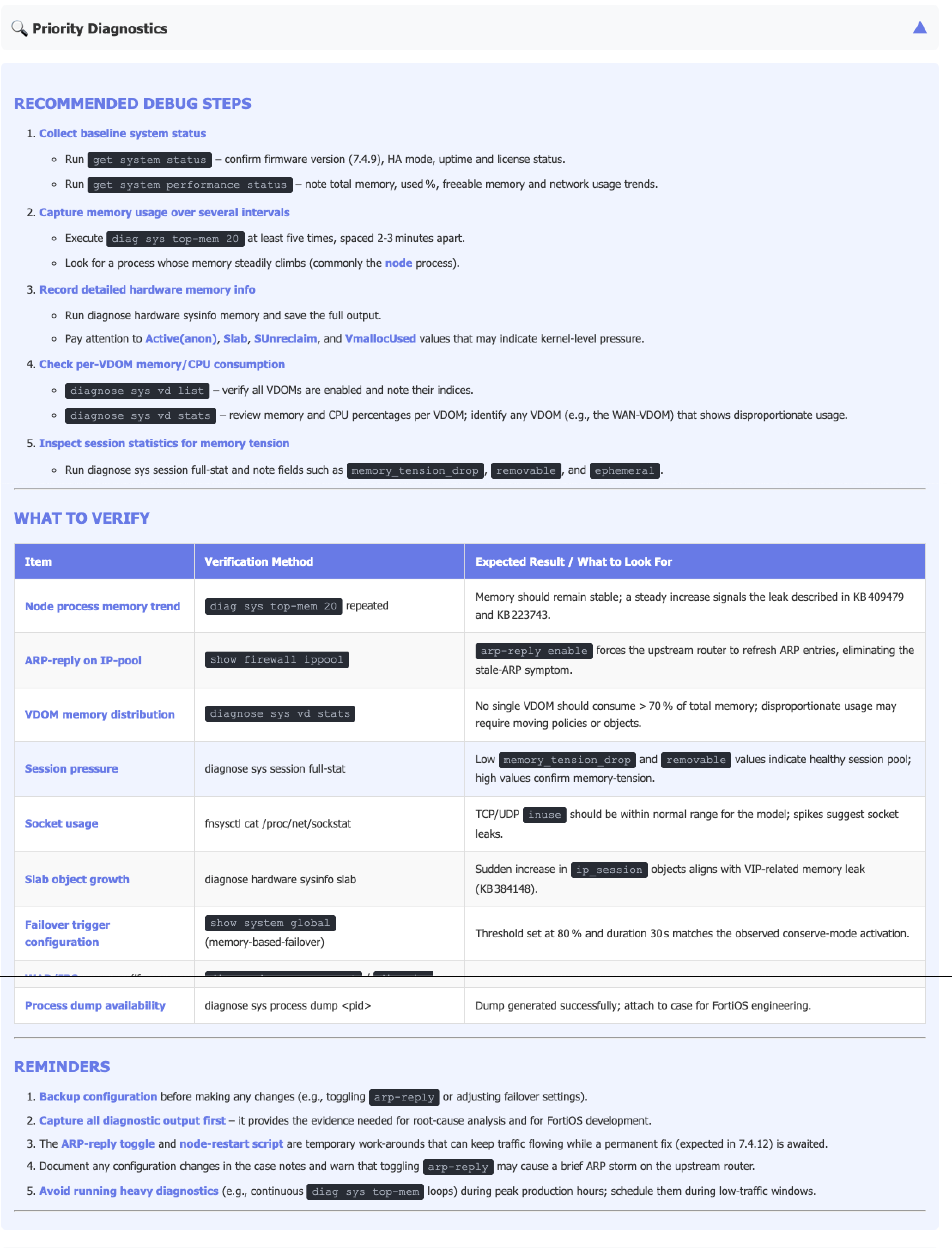
Drafting Initial Solutions
One sidebar that brings every tool to the engineer without interrupting their work.
Collapsed
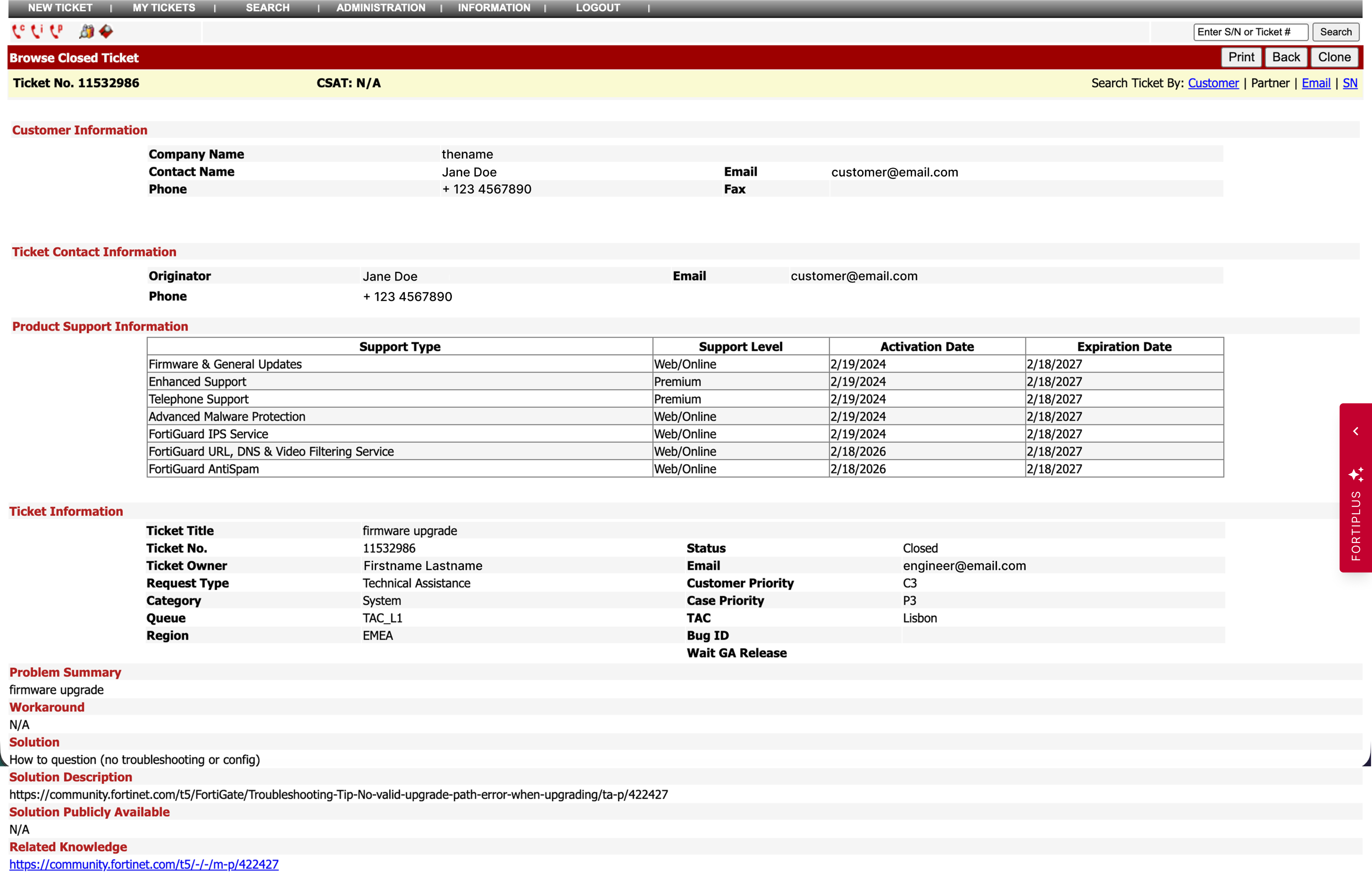
Expanded
Collapsed
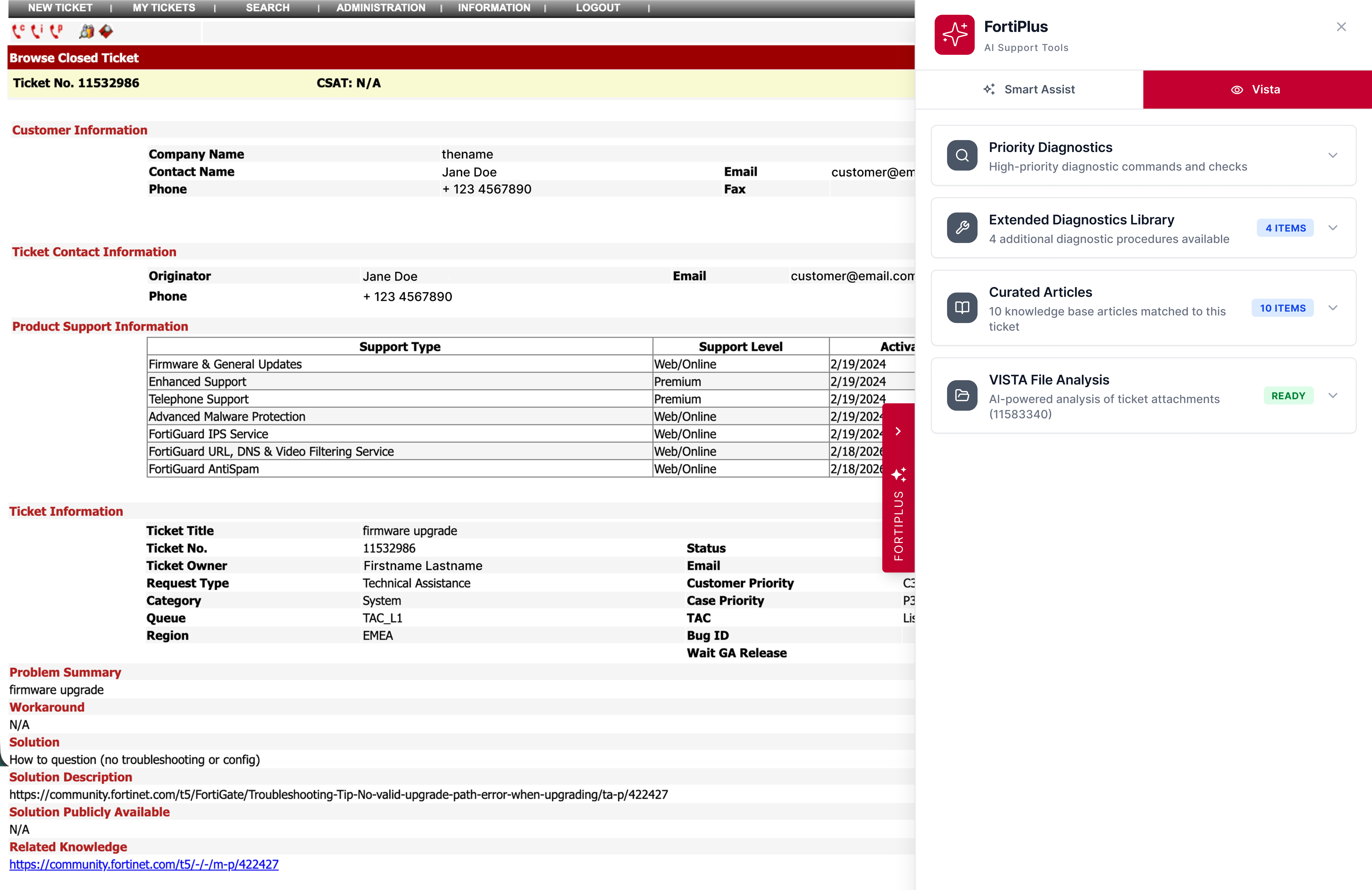
Initial Solution
One unified tool that scales
Features could be added in the future
Non-disruptive presentation
Inline panel, ticket stays visible.
Progressive disclosure
Scan then expand with accordion sections.
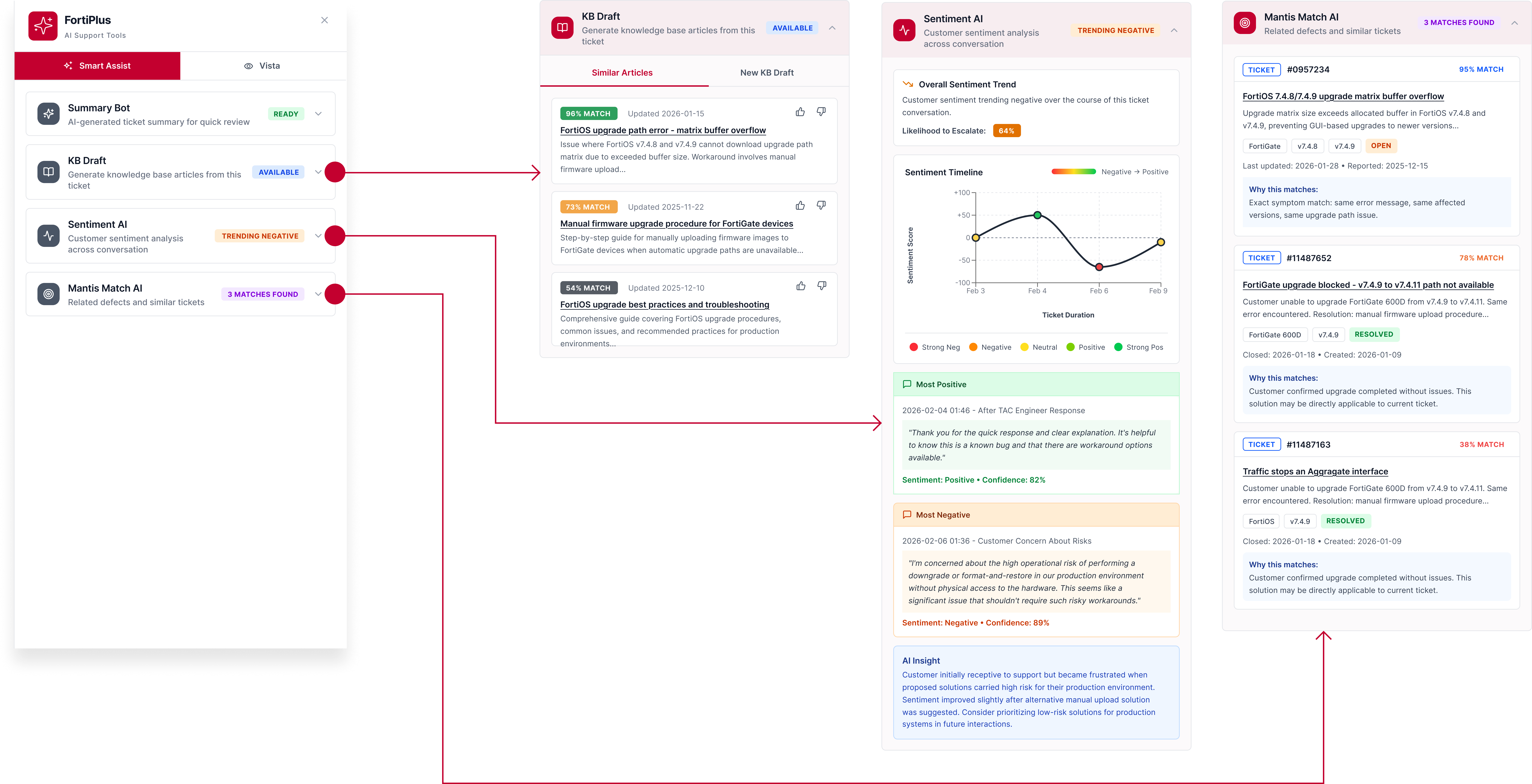
Feedback & Iteration
From a drawer full of separate apps to one set of AI skills engineers just reach for.
Hard to scale
The team is heading toward 20–30 functions. The panel risks becoming an "AI app store."
Regroup the list
Flat, function-based list Grouping by categories.
Mental model does not match
"Smart Assist vs Vista" is concept-stage, not a long-term model, and there are overlaps between the two.
Unified Gen AI Experience
Remove tool based partitions. Present all capabilities as modular AI functions.
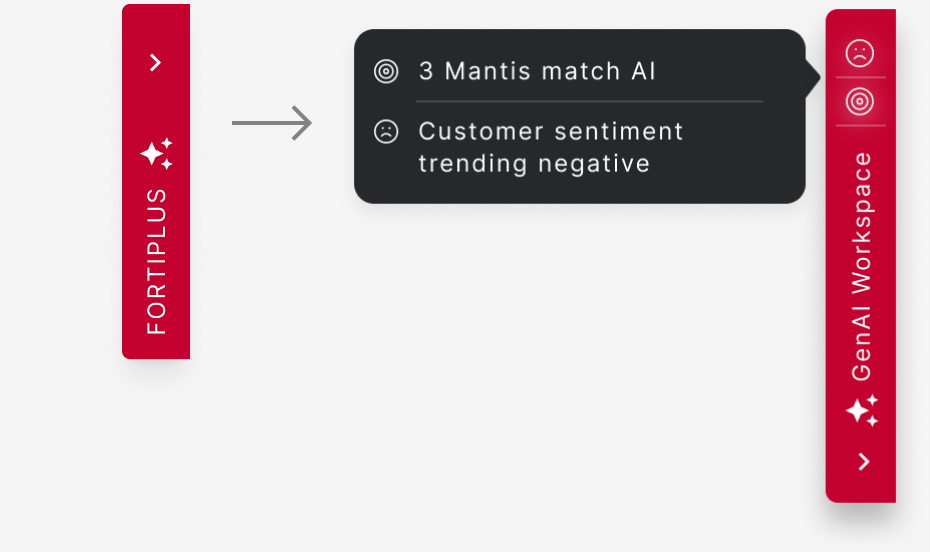
Passive entry point
Collapsed panel gives no signal of what matters now. High-value signals stay buried.
Highlight primary info
Surface AI status early when the sidebar is collapsed.
Rethinking The Structure
Balancing efficiency, clarity, and room to grow
After revisiting everything from the first round, I extracted four major principles for successful design.
- Speed
- Context
- Clarity
- Scalability
I then played with different layouts for a better design.
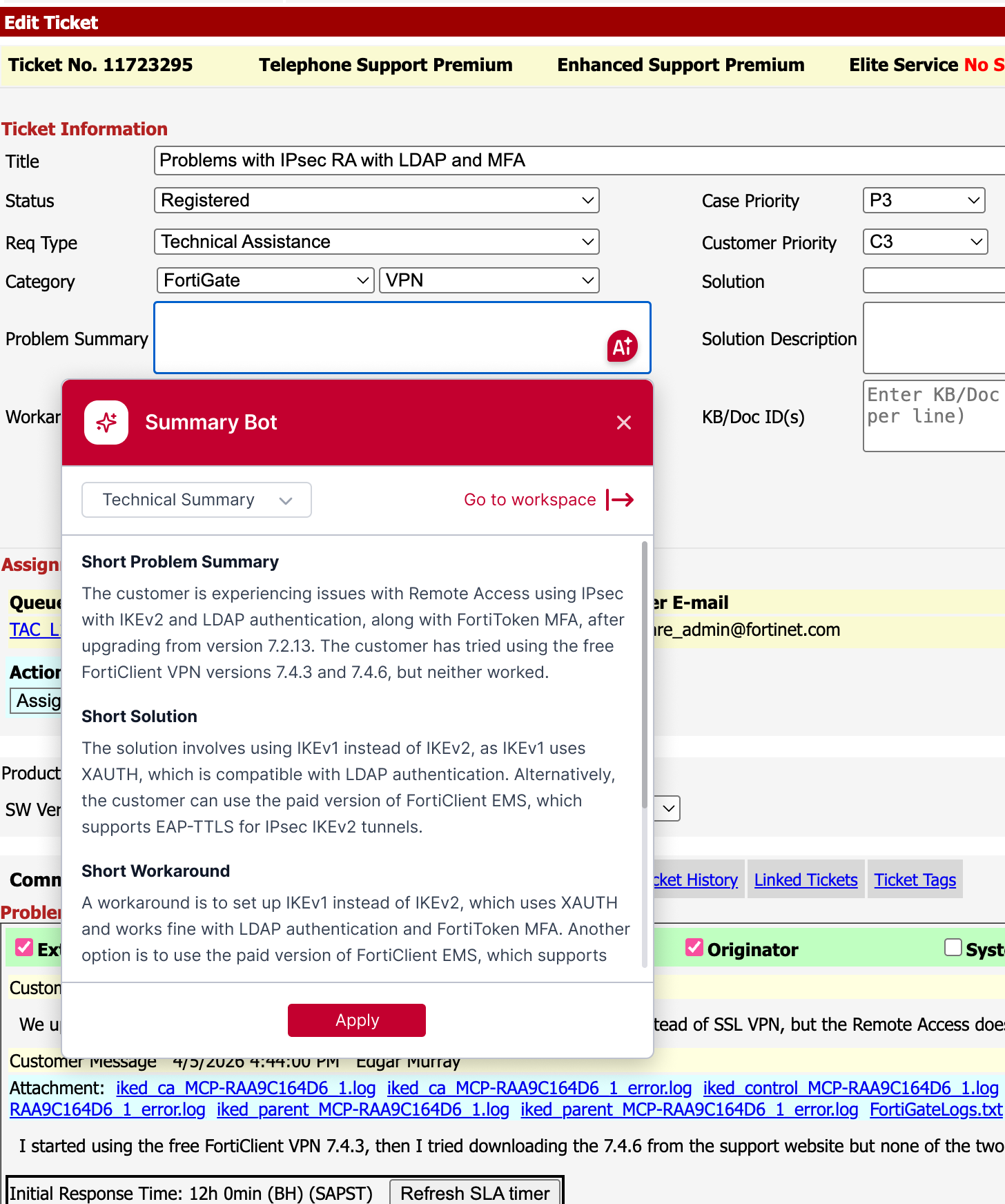
- Autofill with AI-generated content
AI results go straight into the ticket. No copying and pasting between screens.
- Make status visible before expanding
Engineers can take a peek and decide whether to engage and investigate without opening the panel.
- Rework on the structure
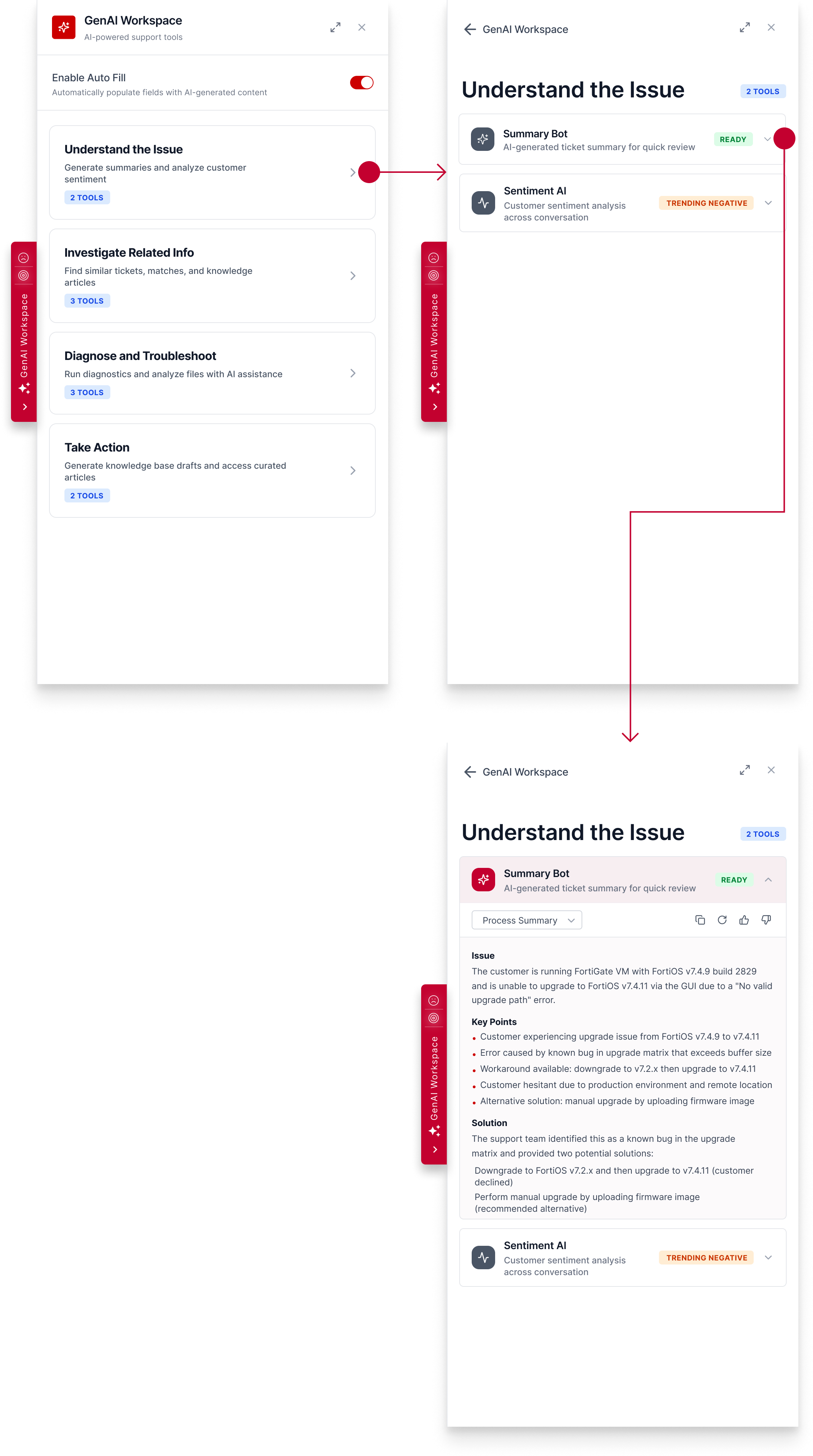
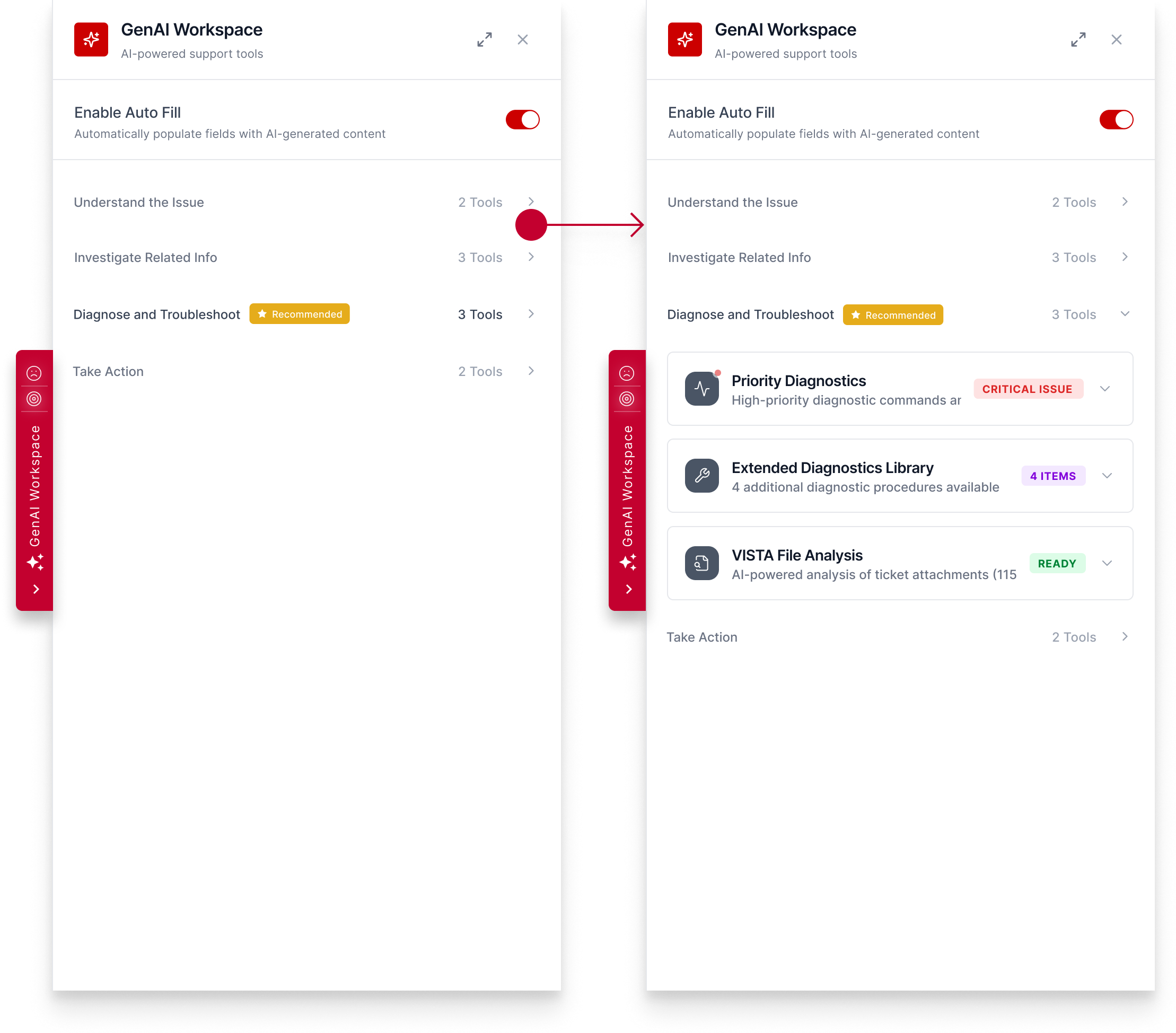
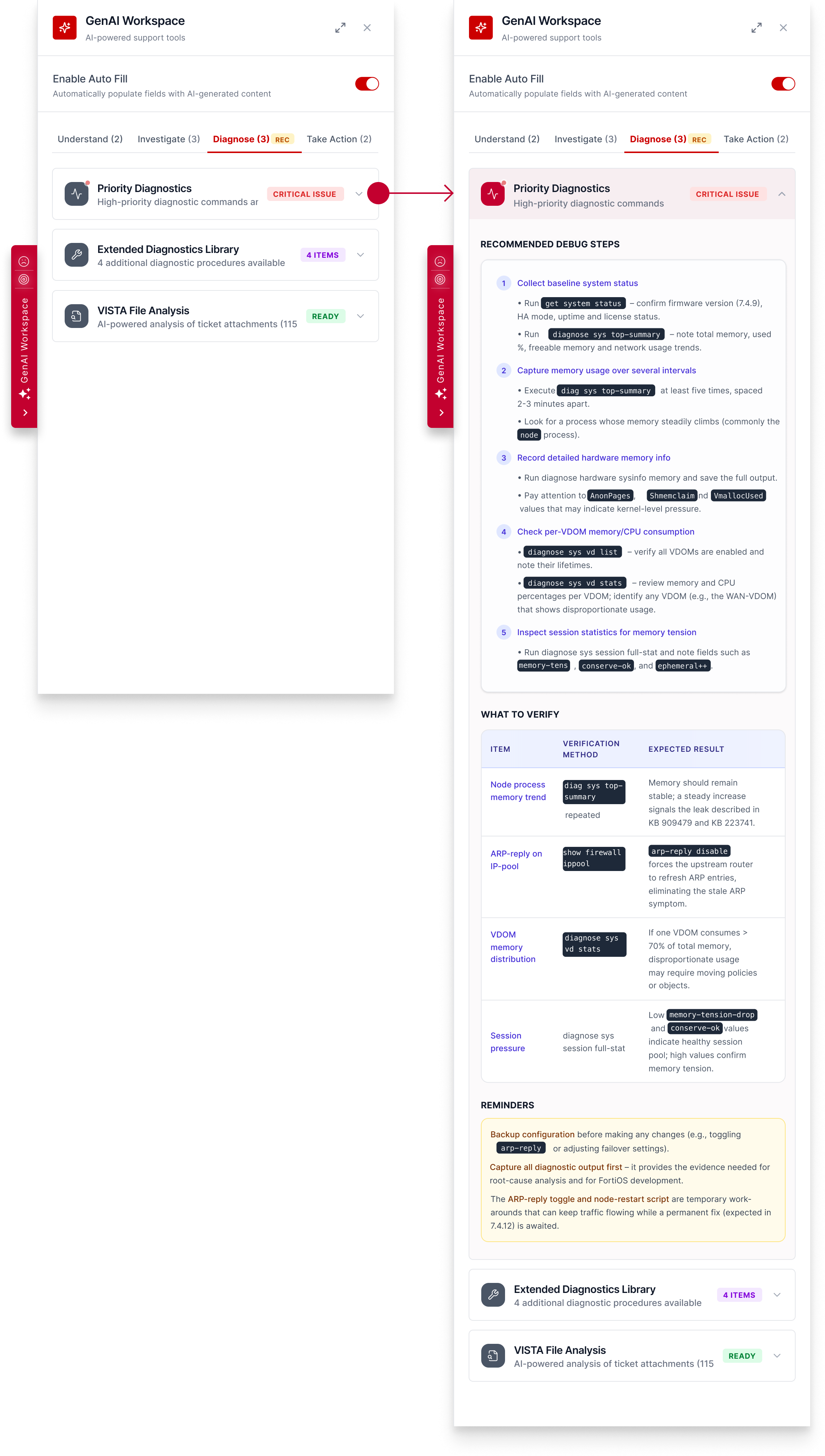
Start from the individual skills, then group them layer by layer. Then I explored different layouts and made a comprehensive comparison.
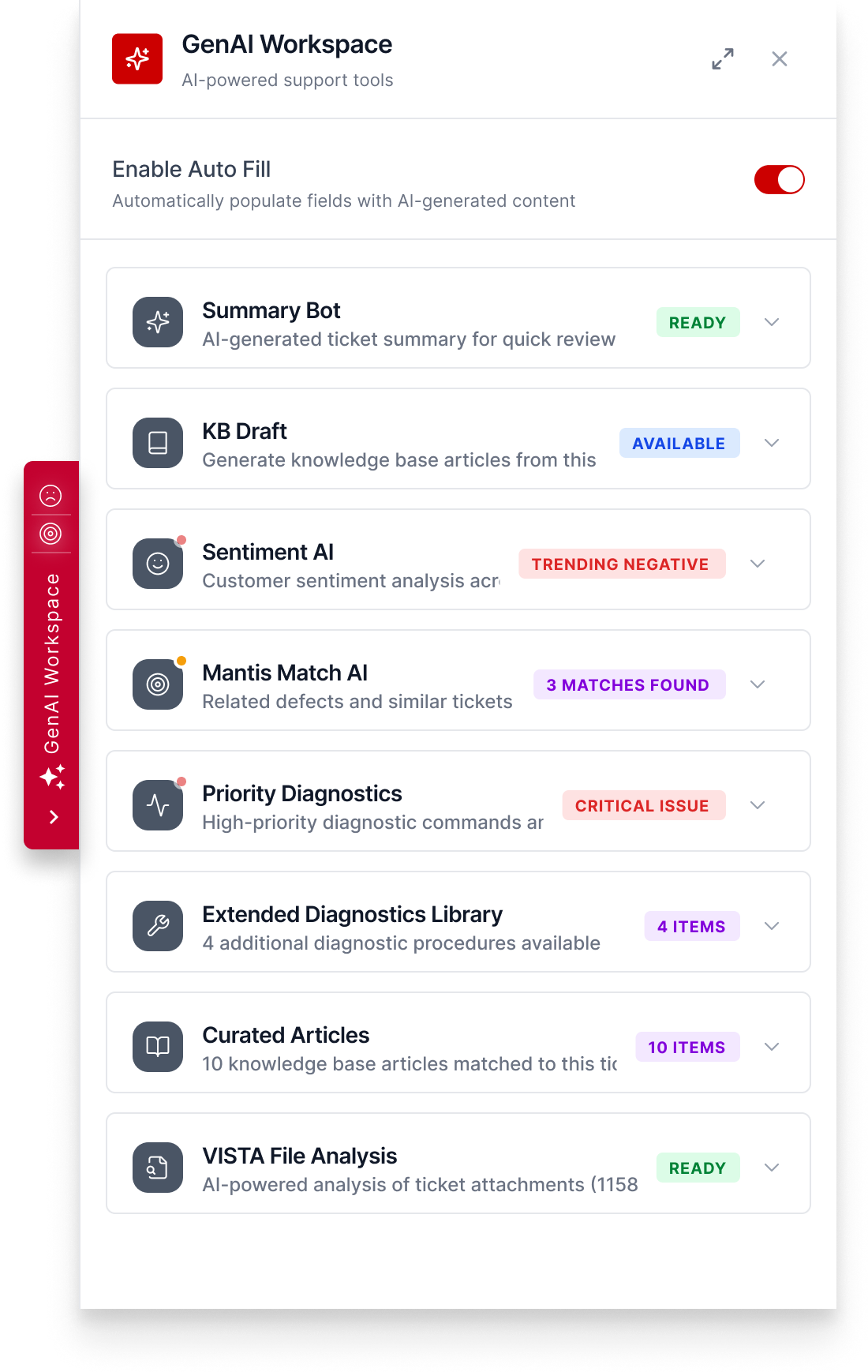
Layout exploration
Idea A: Open a new view
Idea B: Accordion
Idea C: Accordion
Evaluation
Speed: 2/5
Context: 2/5
Clarity: 4/5
Scalability: 4/5
Total: 12
Evaluation
Speed: 5/5
Context: 5/5
Clarity: 4/5
Scalability: 5/5
Total: 18
★ I went with this idea.
Evaluation
Speed: 3/5
Context: 2/5
Clarity: 4/5
Scalability: 3/5
Total: 12
Polish And Finalize
Help engineers select, investigate and take actions.
I streamlined the whole workflow based on how engineers pick most urgent tickets and resolve them. Highlight most relevant info and guide them step by step.
Understand the issue
Investigate related info
Diagnose and troubleshoot
Understand the issue
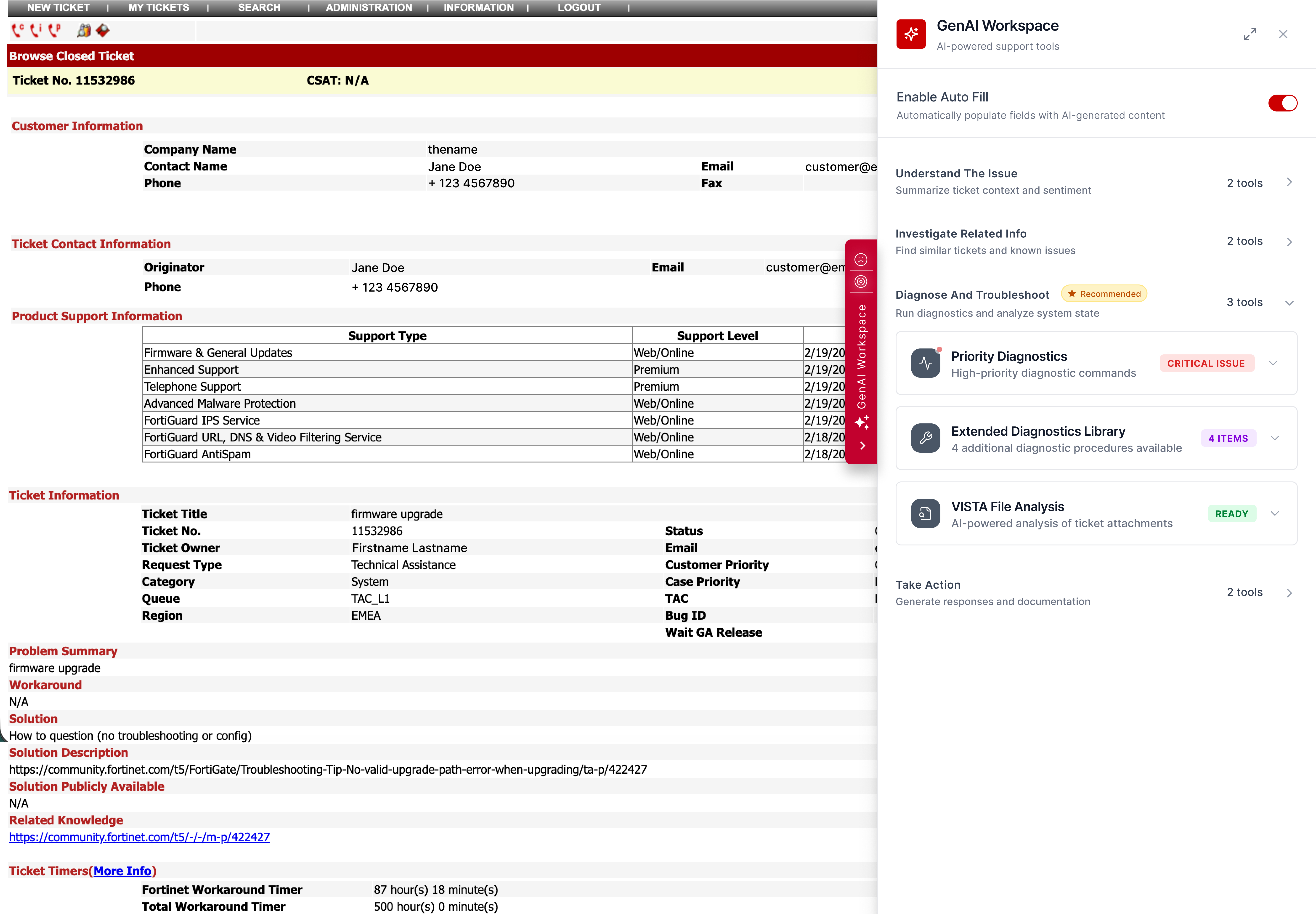
Hover and drag for bigger-size views.
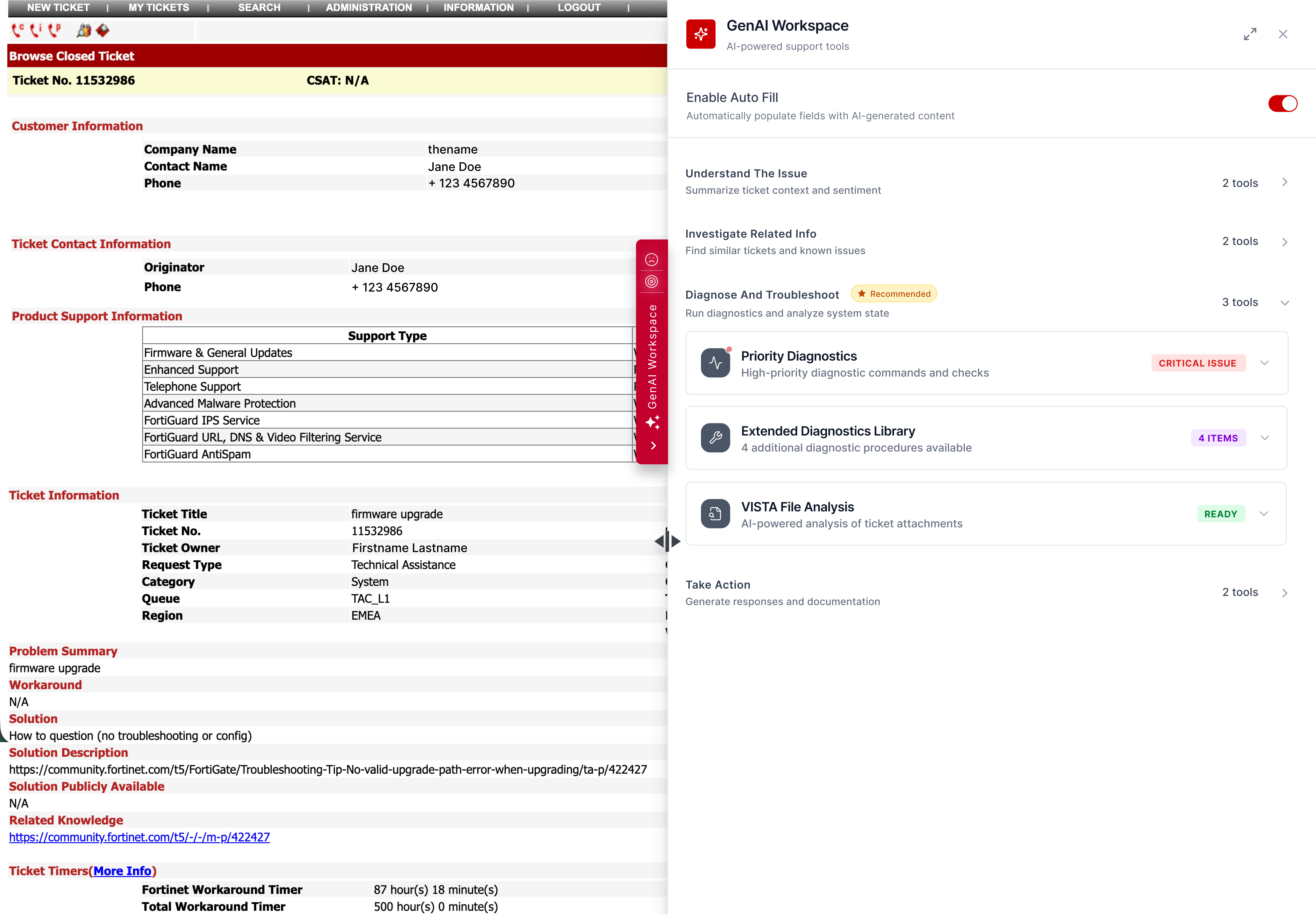
Click for full screen view.